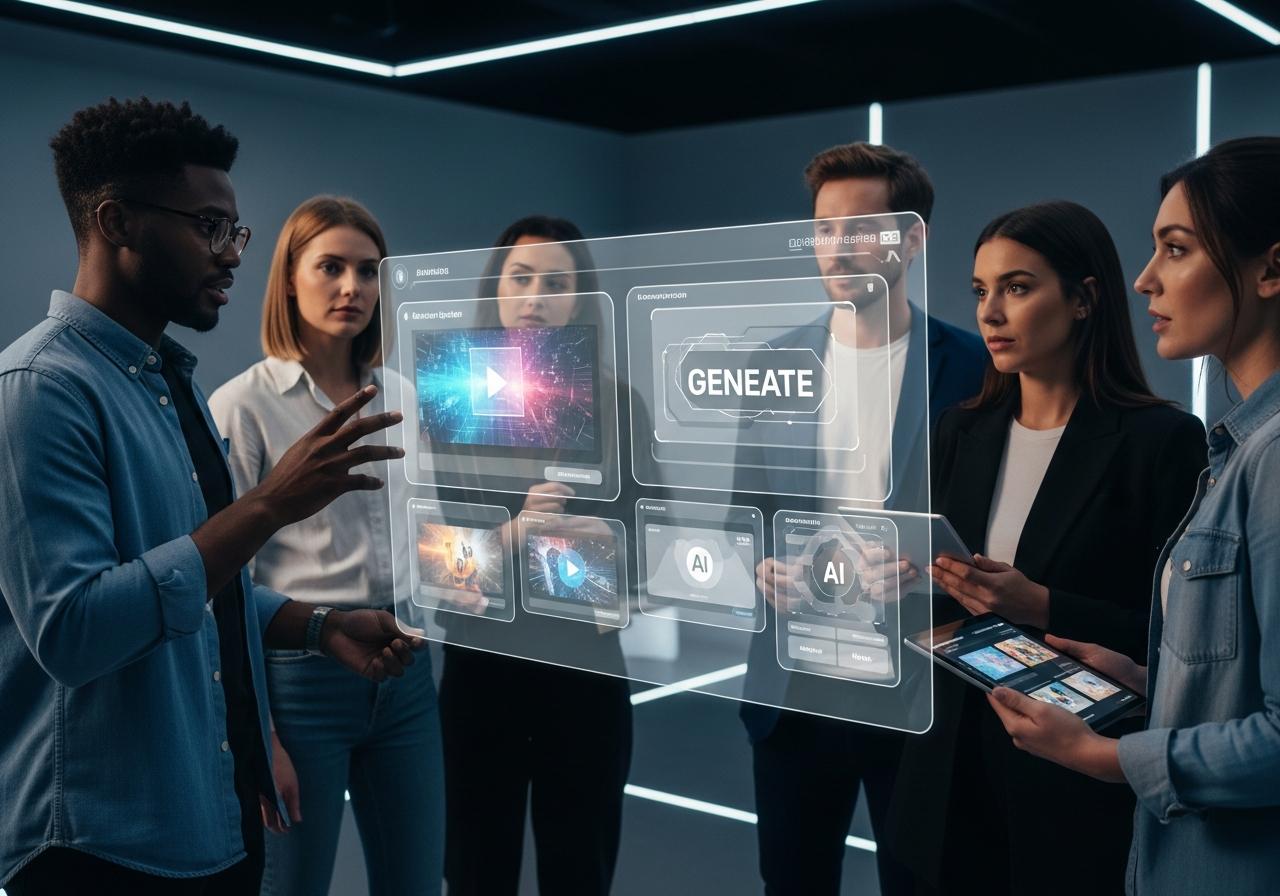

In today’s digital landscape, creating professional Bangla video content is crucial for engagement, but it’s often costly and time-consuming. Discover how a bangla ai video generator can revolutionize your creation process. This article will guide you through the 3 best free tools that allow you to produce high-quality videos with Bangla voiceovers and avatars effortlessly, saving you valuable time and resources while boosting your content strategy.

Why AI is the Future of Bengali Content Creation
AI technology democratizes video production, allowing creators to generate high-quality Bengali content at a fraction of the traditional cost and time.
The digital space in Bangladesh and West Bengal is exploding. With millions of Bengali speakers consuming content daily on YouTube, Facebook, and TikTok, the demand for high-quality, localized video is at an all-time high. However, the supply often lags because producing professional video content is hard. This is where generative AI steps in. By leveraging deep learning and natural language processing, AI tools can now understand, translate, and generate content in Bengali, bridging the gap between global technology and local storytelling.
At LIEN MMO, we have observed a significant shift in how our affiliate partners and content creators approach the Bengali market. Those adopting AI tools are producing 5x more content than those sticking to traditional methods.
Overcoming Traditional Video Production Challenges
AI eliminates common barriers such as expensive equipment, hiring professional voice actors, and complex editing skills.
Traditionally, if you wanted to make a marketing video for a Bengali audience, you faced several hurdles:
- High Costs: Renting cameras, lighting, and studios.
- Talent Scarcity: Finding a professional voiceover artist who speaks fluent, natural-sounding Bangla without a heavy accent.
- Time Consumption: Scripting, filming, and post-production could take weeks.
For small business owners or independent creators, these barriers often meant not making video content at all. Free Bangla AI video generator tools solve this by virtualizing the studio. You no longer need a camera; you need a script. You don’t need a microphone; you need a text to speech Bangla engine.
The Power of AI: Speed, Cost-Effectiveness, and Accessibility
AI tools accelerate workflow efficiency by automating repetitive tasks, making video production accessible to anyone with an internet connection.
The primary advantage of using an AI video app is speed. What used to take days now takes minutes.
- Workflow Efficiency: You can turn a blog post into a video script and then into a video in under an hour.
- Cost-Effective Video Production: Most tools offer free plans or low-cost subscriptions, significantly cheaper than hiring a video editor.
- Scalability: You can easily create multiple versions of a video for A/B testing or different social media platforms.
For example, using tools like In Video AI or Zebracat AI, you can instantly visualize concepts that would require expensive animation teams otherwise.
Key Features to Look for in a Bangla AI Video Generator
Prioritize tools that offer natural-sounding Bengali text-to-speech, accurate lip-syncing, and intuitive editing interfaces.
Not all AI tools are created equal, especially when it comes to the Bengali language. When selecting a Bangla AI video generator, look for these specific features:
- Natural Language Processing (NLP) in Bangla: The tool must understand Bengali grammar and nuances, not just direct translation.
- High-Quality AI Voiceover: Avoid robotic voices. Look for multilingual AI voices that sound human and emotive.
- Avatar Integration: Can you use an AI avatar that looks South Asian?
- Ease of Use: Is the interface drag-and-drop?
- Free Tier Availability: Does it allow you to test the waters with a text to video AI free plan?
Tool 1: Crayo AI – The Complete Text-to-Video Solution

Crayo AI is a powerful tool designed to automate short-form video creation, perfect for turning Bangla scripts into viral social media clips.
Note: While often referred to as “Crreo” in some searches, the leading tool in this specific niche is Crayo AI, known for its viral clip generation capabilities.
Crayo AI (often searched alongside similar tools like Crayo AI or Kreado AI) has gained popularity for its ability to automate the entire video production pipeline. It is particularly effective for “faceless” YouTube channels or TikTok accounts where the goal is to produce high volumes of engaging content quickly.
Core Features: From Script to Final Video in Minutes
Crayo AI automates scriptwriting, voiceover generation, and background visual selection in a single workflow.
Crayo AI stands out because it doesn’t just edit; it creates.
- Script to Video: You provide a topic or a prompt, and the AI generates a script. You can then translate this script into Bangla.
- Auto-Captioning: It automatically generates dynamic subtitles, which are essential for social media retention.
- Visual Scraping: It pulls relevant stock footage or AI-generated images to match your script’s context.
For a Bengali creator, this means you can type a prompt like “Health benefits of Honey” in Bangla, and the tool will attempt to piece together a visual narrative.
The Free Plan: What You Get and Its Limitations
The free version allows for trial video generation but typically includes watermarks and limited export credits.
Like many SaaS tools we review at LIEN MMO, Crayo AI operates on a freemium model.
- Pros: You can access the core generative AI features and test the AI voice generator.
- Cons: You will likely face watermarks on the final video, and the number of videos you can generate per month is capped.
- Recommendation: Use the free plan to validate your content idea. If your Bangla shorts start getting traction, the paid upgrade is usually a worthwhile investment for workflow efficiency.
Step-by-Step: Creating Your First Bangla Video with Crayo AI
Select your template, input your Bengali script, choose a voice, and let the AI compile the video.
- Sign Up: Create an account on the Crayo AI platform.
- Choose a Template: Select a style that fits your niche (e.g., “Storytelling” or “Facts”).
- Input Script: Paste your Bengali script. If you don’t have one, use ChatGPT to write a script and then translate it.
- Select Voice: Choose a supported AI voiceover. If native Bangla isn’t available directly, you might need to upload an external audio file (generated from ElevenLabs or similar).
- Generate & Edit: Click generate. Review the subtitles to ensure the Bangla font renders correctly.
- Export: Download your video and share it on YouTube or TikTok.
Tool 2: Kapwing – The All-in-One Editor with AI Dubbing
Kapwing is a versatile online editor that excels at AI dubbing and translation, making it ideal for localizing existing content into Bengali.
Kapwing is not just a generator; it’s a comprehensive video editing software that runs in your browser. Its strength lies in its “Smart” tools which include powerful dubbing and language translator features.
Core Features: AI-Powered Editing, Subtitling, and Voiceover
Kapwing offers precise timeline editing combined with AI tools for cleaning audio, removing silences, and translating videos.
For Bengali content creators, Kapwing’s most valuable features are:
- Smart Cut: Automatically removes awkward silences from your recording.
- AI Subtitles: Generates subtitles automatically. You can then translate these subtitles into Bangla instantly.
- Text to Speech: Built-in text to speech generator that supports multiple languages.
How to Use the Free AI Dubbing for Bangla Content
Upload your video, select the ‘Dubbing’ tool, choose Bengali as the target language, and generate a translated voice track.
This feature is a game-changer for content creation.
- Upload: Upload a video (e.g., an English tutorial).
- Dubbing Tool: Navigate to the AI tools section and select “Dubbing” or “Translate Video”.
- Target Language: Select “Bengali” from the list.
- Process: The AI will transcribe the original audio, translate the text, and generate a new AI voiceover in Bangla that matches the timing of the original video.
- Refine: You can adjust the translated text if the Bangla translation misses a nuance.
Ideal Use Cases: Social Media Clips and Video Localization
Kapwing is best used for repurposing global content for a local Bengali audience or creating quick social media clips.
At LIEN MMO, we often recommend Kapwing to marketers who want to take their successful English content and penetrate the Bangladesh market. It is perfect for:
- Explainer Videos: Dubbing product demos into Bangla.
- Social Media Videos: Adding Bangla captions to trending clips.
- Educational Videos: Translating courses for Bengali students.
Tool 3: Canva AI – For Stunning Visuals and Quick Creations

Canva combines easy graphic design with AI video tools, including Magic Design and integrations with HeyGen and D-ID for talking avatars.
Canva has evolved from a design tool into a robust video platform. Its “Magic Studio” includes MagicLight capabilities (in terms of image manipulation) and powerful text to video AI free features via apps.
Core Features: Magic Design for Video and AI Voiceovers
Canva’s Magic Design creates instant video montages from your media, while integrated apps provide advanced voice and avatar capabilities.
- Magic Design for Video: Upload your images and clips, and Canva will automatically edit them to music with transitions.
- Apps Marketplace: This is where the magic happens. Canva integrates with HeyGen, D-ID, and Murf AI. These apps allow you to create talking AI avatar video in Bangla directly within the Canva interface.
Generating Free AI Avatars and Bangla Text-to-Speech
Use the HeyGen or D-ID apps within Canva to animate a static image and make it speak Bengali using text-to-speech.
Even on the free plan, you often get a limited number of credits to use these premium integrations.
- AI Avatar: Choose a presenter that looks professional.
- Script Input: Type your text in Bangla.
- Voice Selection: These apps usually have high-quality multilingual AI voices, including specific regional dialects for Bengali.
Step-by-Step: From a Simple Idea to an Animated Video
Create a design, add an AI avatar app, input your Bangla script, and drag the generated video onto your canvas.
- Open Canva: Start a “Video” project (1920×1080 or Mobile Video).
- Access Apps: Go to the left sidebar, click “Apps”, and search for “HeyGen” or “D-ID”.
- Create Avatar: Upload a photo or choose a default avatar.
- Input Text: Enter your Bangla script.
- Generate: Click “Generate Video”. The app will process the lip-syncing.
- Design: Once the avatar video is ready, drag it onto your canvas. Add background music, text overlays, and other elements using Canva’s massive library.
Feature Comparison: Which Free Tool is Right for You?
Select the tool that aligns with your specific needs: automation, editing precision, or visual design.
To help you decide, we have compared these tools based on their strengths for Bangla AI video generator tasks.
| Feature | Crayo AI (Automation) | Kapwing (Editing) | Canva AI (Design) |
|---|---|---|---|
| Best For | Faceless Channels, Viral Shorts | Dubbing, Subtitling, Editing | Avatars, Marketing, Presentations |
| Bangla Support | Good (via Script & TTS) | Excellent (Dubbing & Subs) | Excellent (via App Integrations) |
| Free Plan | Limited credits, Watermark | Watermark, Export limits | Generous design features, limited AI credits |
| Learning Curve | Low | Medium | Low |
| Key AI Tech | Generative AI Script-to-Video | AI Dubbing & Cleaning | Magic Design & Avatars |
Best for Automated Content: Crayo AI
If your goal is workflow efficiency and churning out multiple videos a day for YouTube Shorts or TikTok without showing your face, Crayo AI (or similar tools like Hailuo AI / Kreado AI) is the winner.
Best for Editing & Dubbing: Kapwing
If you have existing footage and need to translate it or add professional subtitles, Kapwing is superior. Its video dubbing Bangla online capability is unmatched in the free browser-based category.
Best for Design & Social Media: Canva AI
For marketing videos, presentations, and building a brand, Canva is essential. The ability to combine AI avatars with professional graphic design makes it perfect for storytelling and brand building.
Practical Guide: How to Create a Talking AI Avatar Video in Bangla
Follow this comprehensive workflow to combine the best features of these tools for a professional result.
Creating a How to create talking AI avatar video in Bangla doesn’t have to be complicated. Here is the workflow we use at LIEN MMO to create engaging content.
Step 1: Writing a Compelling Script with AI
Use ChatGPT or Claude to write an engaging script in Bengali tailored to your audience.
Don’t just translate; localize. Ask the AI: “Write a 30-second script for a video about [Topic] in Bengali, using a conversational tone suitable for Facebook.”
Step 2: Generating Your Free AI Avatar and Visuals
Use Canva (via HeyGen/D-ID) or Kreado AI to generate the visual avatar.
- Select a professional-looking avatar.
- Ensure the background is green screen or transparent if you plan to edit it later, or design the full background in Canva.
Step 3: Producing the Bangla AI Voiceover from Text
Use a dedicated text-to-speech tool like ElevenLabs or the built-in TTS in your chosen video generator.
- Paste your Bengali script.
- Select a voice that matches your brand personality (e.g., authoritative for news, friendly for tutorials).
- Tip: If using Dubverse.ai or Fliki, you can get very realistic intonations.
Step 4: Combining and Editing for a Professional Finish
Import your avatar and voiceover into Kapwing or Canva to add music, subtitles, and B-roll.
- Sync the audio and video.
- Add Bangla subtitles (crucial for mobile viewers who watch without sound).
- Add background music that doesn’t overpower the voice.
- Export in 1080p for the best quality.
Conclusion
The era of complex and expensive video production is over. With powerful and free tools like Crayo AI, Kapwing, and Canva AI, creating professional-grade Bangla AI video generator content is now accessible to everyone. By leveraging text-to-video, AI dubbing, and avatar generation, you can efficiently produce engaging content for marketing, education, or social media, connecting with your audience in their native language more effectively than ever before.
Ready to bring your ideas to life? Choose the tool that best fits your needs from our list and start creating your first professional Bangla AI video for free today!