

Are you struggling with complex video editing software? You’re not alone. Many content creators and small businesses need professional-looking videos without the steep learning curve. This article unveils the top 10 InVideo alternatives, focusing on smart AI tools designed specifically for non-editors. Discover user-friendly platforms that leverage artificial intelligence for everything from text-to-video creation to generating realistic AI avatars, helping you create stunning social media videos effortlessly.

Why Look for InVideo Alternatives? Key Pains for Non-Editors
While InVideo is a powerful platform, it may not perfectly align with every user’s workflow or budget. Non-editors often seek alternatives to find simpler interfaces, specific AI features like advanced avatars, or more flexible pricing models that better suit small business needs.
The Challenge of Complex Interfaces and Time-Consuming Edits
Many users find traditional editing timelines overwhelming and are looking for streamlined, drag-and-drop solutions that automate the heavy lifting.
For non-editors, a cluttered interface is the enemy of productivity. At LIEN MMO, we understand that digital marketers and business owners do not have hours to spend learning keyframes or color grading. InVideo alternatives often focus on simplifying this process. Tools that utilize AI driven workflows allow you to focus on the message rather than the mechanics. If you find yourself spending more time figuring out how to trim a clip than actually creating content, switching to a more intuitive video generator can save hours of work per week.
Limitations in Free Plans: Watermarks and Feature Restrictions
Users often search for alternatives to escape restrictive free tiers that plaster branding over their content or lock essential assets behind paywalls.
One of the most common search queries we see is for free InVideo alternatives without watermark. While completely free tools with premium features are rare, many competitors offer more generous trial periods or lower-tier plans that remove branding. For a brand’s reputation, publishing content with a “Made with…” watermark can look unprofessional. Finding cost-effective InVideo alternatives for small businesses that offer clean video exports is crucial for maintaining brand authority on social media.
The Need for More Advanced AI Features: Avatars and Text-to-Video
As the market evolves, creators are demanding hyper-realistic AI avatars and seamless text-to-video capabilities that go beyond stock footage compilation.
While InVideo has introduced AI elements, specialized tools often outperform all-in-one suites in specific areas. For instance, if your strategy relies heavily on “talking head” videos but you are camera-shy, you need a specialized avatar generator. Similarly, the demand for generative AI video is skyrocketing. Creators now want AI tools that can generate unique visuals from prompts, rather than just searching a stock library. This is where specialized InVideo competitors shine, offering cutting-edge tech like deevid ai or quso ai style capabilities within their ecosystems.
Top 5 AI-Powered Video Tools That Outshine InVideo

These five platforms represent the pinnacle of AI innovation, offering distinct advantages over InVideo for specific use cases ranging from avatar generation to automated content repurposing.
Pictory: The Best InVideo Alternative for Repurposing Content from Text
Pictory is the premier choice for content marketers who want to automatically convert long-form blog posts and scripts into engaging short videos.
If your primary goal is text-to-video conversion, Pictory is a powerhouse. At LIEN MMO, we frequently recommend Pictory to bloggers and SEO specialists. Unlike standard editing software, Pictory uses AI to analyze your text, select relevant stock footage, and apply captions automatically. It is arguably one of the best InVideo alternatives for non-editors because it requires zero technical skill. You simply paste your URL or script, and the AI video generator does the rest. It is particularly effective for creating “faceless” YouTube channels or summarizing articles for social media.
- Key Feature: Auto-summarization of long videos and blog-to-video conversion.
- Best For: Marketers repurposing written content.
Synthesia: A Leader in AI Avatar Creation and Corporate Videos
Synthesia dominates the market for creating professional training videos and corporate presentations using hyper-realistic AI avatars, eliminating the need for cameras and actors.
When it comes to AI avatars, Synthesia is the gold standard. While InVideo focuses on general video creation, Synthesia specializes in generating lifelike digital presenters. This makes it an invaluable InVideo alternative for internal communications, L&D (Learning and Development) teams, and sales outreach. You can choose from over 140 avatars and 120 languages. The platform uses advanced artificial intelligence to sync lip movements perfectly with the text you type. For businesses wanting to scale video production without filming, Synthesia is the top choice.
- Key Feature: Studio-quality AI avatars and voiceovers in 120+ languages.
- Best For: Corporate training, explainer videos, and personalized sales messages.
VEED: The Ideal User-Friendly Tool for Social Media Videos
VEED.IO stands out as the most intuitive browser-based editor, perfect for adding subtitles, progress bars, and trendy effects to social media clips.
For creators focused on TikTok, Instagram Reels, and YouTube Shorts, VEED is often preferred over InVideo Studio. Its interface is cleaner and more focused on the specific needs of social media managers. VEED excels at auto-subtitling—a critical feature for social engagement—claiming 98.5% accuracy. It positions itself as one of the most user-friendly InVideo alternatives, allowing you to resize videos for different platforms with a single click. If you need InVideo competitors for social media videos that feel modern and snappy, VEED is the solution.
- Key Feature: One-click auto-subtitles and social media formatting.
- Best For: Influencers, social media managers, and short-form content.
Descript: The Ultimate Solution for Podcast and Interview Editing
Descript revolutionizes video editing by allowing you to edit audio and video by editing the text transcript, making it as easy as using a word processor.
Descript approaches video editing differently. Instead of a timeline, you edit a document. If you delete a word in the transcript, the corresponding video and audio are cut automatically. This makes it the ultimate tool for podcasters and interviewers. While InVideo is great for creating videos from scratch, Descript is superior for editing existing footage of people talking. It also features “Overdub,” an AI generated voice clone tool that lets you correct audio mistakes by typing.
- Key Feature: Text-based video editing and “Studio Sound” echo removal.
- Best For: Podcasters, interviewers, and video essayists.
Runway: For Advanced Generative AI Video Effects
Runway is a high-end creative suite that pushes the boundaries of generative AI, offering features like “Gen-2” for text-to-video generation and advanced motion tracking.
For those looking for AI tools that feel like magic, Runway is the answer. It is less of a traditional marketing video maker and more of a creative studio. Runway allows you to use Generative AI video to create new scenes from text prompts, erase objects from videos (inpainting), and use “Green Screen” tools instantly. While it has a steeper learning curve than Canva, it offers creative capabilities that InVideo alternatives typically lack. It is ideal for creative directors and designers who want to experiment with animation and unique visual styles.
- Key Feature: Gen-2 Text-to-Video and advanced AI magic tools (inpainting, motion tracking).
- Best For: Creative professionals and high-end visual experimentation.
Exploring 5 More Cost-Effective and Free InVideo Competitors
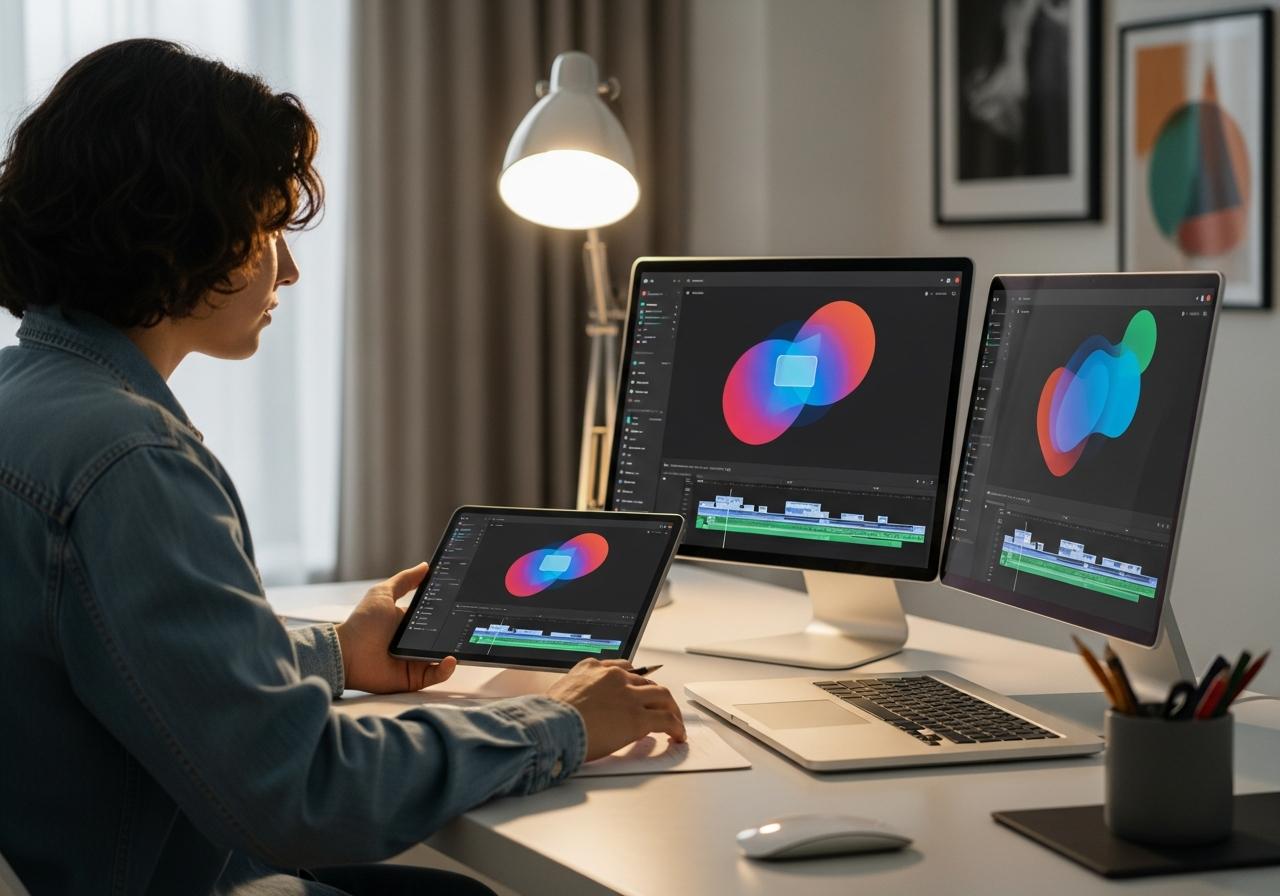
Budget is often a deciding factor. These five tools offer a balance of powerful features and cost-effectiveness, with some providing robust free plans for beginners.
Canva: The All-in-One Design Tool with Strong Video Capabilities
Canva has evolved from a graphic design tool into a formidable video editor, offering a massive library of templates and assets included in its subscription.
Canva is the most accessible InVideo alternative because you likely already use it. Its “Magic Studio” now includes AI video generation and “Magic Switch” to resize content instantly. For small businesses, the value proposition is unbeatable: one subscription for graphics, presentations, and video. While it lacks the granular timeline control of editing tools like Premiere Pro, its drag-and-drop simplicity and vast stock library make it perfect for quick social posts. It is a top contender for cost-effective InVideo alternatives for small businesses.
- Key Feature: Massive template library and seamless integration with graphic design workflow.
- Best For: Non-designers needing an all-in-one visual marketing tool.
Fliki: A Powerful Text-to-Video and Voiceover Generator
Fliki focuses heavily on the audio experience, combining high-quality AI neural voices with stock media to create videos quickly from text.
If you prioritize voiceovers, Fliki is an excellent choice. It simplifies the video creation workflow by prioritizing the script. You write the text, choose a voice (which sounds incredibly human), and Fliki matches media to it. It is one of the InVideo alternatives with text to video that feels most like a podcast-to-video converter. For creators who want to produce high volumes of informational content without recording their own voice, Fliki is highly efficient.
- Key Feature: extensive library of ultra-realistic AI voices.
- Best For: Audio-focused content creators and faceless channels.
DeepBrain AI: A Cost-Effective Choice for AI Presenter Videos
DeepBrain AI offers a streamlined solution for generating AI avatar videos, often providing a more budget-friendly entry point compared to high-end competitors.
Similar to Synthesia, DeepBrain AI focuses on AI avatars. It is a strong InVideo competitor for those needing virtual presenters for news updates, educational content, or kiosks. Their “AI Studios” platform is intuitive, allowing you to generate a video from a PPT file or a text script in minutes. At LIEN MMO, we appreciate their “ChatGPT” integration, which helps write the script directly within the tool, streamlining the process from ideation to final render.
- Key Feature: ChatGPT integration for scriptwriting and diverse Asian avatar models.
- Best For: Educational institutions and businesses targeting global markets.
HeyGen: A User-Friendly Platform for Scalable Video Production
HeyGen is rapidly gaining popularity for its video translation capabilities and high-fidelity avatars, making it easy to scale content globally.
HeyGen has made waves with its “Video Translate” feature, which not only translates the audio but also adjusts the avatar’s lip movements to match the new language. This feature alone makes it one of the most powerful content creation tools for global expansion. As a user-friendly InVideo alternative, it offers a very modern interface and allows for custom avatars that look frighteningly real. It bridges the gap between animation and reality.
- Key Feature: Video translation with lip-sync and custom instant avatars.
- Best For: Global marketing teams and personalized video campaigns.
Filmora: A More Traditional Editor with Powerful AI Features
Filmora blends the timeline-based editing of professional software with modern AI plugins like AI Copywriting, AI Image Gen, and Smart Cutout.
For those who want more control than a cloud-based video generator can offer, Filmora by Wondershare is the bridge. It is desktop software that has integrated massive AI capabilities. It offers features like “AI Portrait” (background removal without green screen) and “Silence Detection.” It is one of the top InVideo alternatives for content creators who want to learn actual editing skills but still rely on AI for speed. It supports long-form video content editing much better than browser-based tools.
- Key Feature: Desktop performance with integrated AI tools for audio and video.
- Best For: YouTubers and creators wanting more control over the editing process.
How to Choose the Right AI Video Creation Tool for Your Needs
Selecting the right tool depends entirely on your specific goals, whether it’s automation, creative control, or budget constraints.
Key Feature Checklist: What to Look for in an InVideo Alternative
Before subscribing, ensure the platform ticks the boxes that matter most to your specific workflow and business goals.
When evaluating InVideo alternatives, we recommend checking for these specific criteria:
- Ease of Use: Is the interface intuitive for a non-editor?
- AI Capabilities: Does it offer text-to-video, AI avatars, or generative AI?
- Stock Library: Is there access to high-quality images, videos, and music?
- Brand Consistency: Can you upload your fonts, logos, and color palettes?
- Export Quality: Does it support 1080p or 4K without a watermark?
- Cost-Effectiveness: Does the price per video justify the ROI?
A Quick Comparison Table: Pricing, Features, and Best Use Cases
Use this comparison to quickly identify which tool aligns with your current project requirements.
| Tool | Best For | Key AI Feature | Free Plan? |
|---|---|---|---|
| Pictory | Blog-to-Video | Auto-summarization | Trial only |
| Synthesia | Corporate Training | 140+ AI Avatars | No (Paid only) |
| VEED | Social Media | Auto-Subtitles | Yes (Watermarked) |
| Descript | Podcasts | Text-based Editing | Yes (Limited) |
| Runway | Creative Effects | Gen-2 Video Gen | Yes (Limited credits) |
| Canva | General Design | Magic Studio | Yes (Robust) |
| Fliki | Voiceovers | Text-to-Speech Video | Yes (Limited) |
| HeyGen | Global Reach | Video Translation | Yes (1 credit) |
Conclusion
The world of AI video creation is evolving rapidly, offering powerful solutions that don’t require technical editing skills. Tools like Pictory, Synthesia, and VEED provide specialized features that cater directly to the needs of content creators and small businesses. By focusing on your specific goals—whether it’s creating social media content, repurposing articles, or producing training videos—you can find the perfect, user-friendly InVideo alternative to elevate your content strategy.
At LIEN MMO, we believe that the best tool is the one that saves you time while maintaining high quality. Don’t be afraid to test a few free trials to see which workflow suits you best.
Ready to revolutionize your video creation workflow? Explore our top recommendation for non-editors and start creating professional videos in minutes. Click here to get started!