

Are your brilliant voice notes and podcast episodes gathering digital dust? It’s time for a glow-up with a seamless voice to video transformation! In a world dominated by visuals on TikTok, YouTube, and Reels, leaving your content as audio-only is like showing up to a meme party with a flip phone. We’re spilling the tea on 7 game-changing AI tools that transform your voice recordings into scroll-stopping videos faster than you can say “go viral.” Get ready to turn your sound into sight, effortlessly!

Why Bother Turning Audio into Video Anyway? (Spoiler: It’s a Vibe)
Transforming audio into video helps you capture attention faster and maximize your content’s reach across visual-first platforms. It is the ultimate hack for modern digital storytelling and audience growth.
Let’s face it: pure audio formats (MP3, WAV) are great for commuting, but they don’t stop the scroll. By leveraging voice to video ai, you unlock a whole new level of content creation. At LIEN MMO, we have found that adding dynamic visuals to your soundbites drastically improves your overall engagement metrics. It helps optimize your reach and ensures your message actually gets consumed.
Boost Your Engagement to the Moon
Visual content generates significantly more views, shares, and comments compared to audio alone. Adding moving elements keeps viewers hooked and prevents them from swiping away.
Whether you are sharing a quick voice memo or full narrations, turning them into a social media video is a game-changer. Audiences on YouTube, TikTok, Instagram, Reels, and Shorts crave visual stimulation. By using tools to add voice to video, you cater directly to this demand. Features like animated waveforms and eye-catching subtitles ensure your message is seen and heard, even on mute.
Repurpose Content Like a Pro Creator
Repurposing content allows you to turn one single audio file into dozens of video clips. This strategy saves you immense time and effort while keeping your content calendar full.
Stop recording the same message twice! If you want to turn voice recordings into videos effortlessly, repurposing is your best friend. You can take long-form podcasts or e-learning content and chop them into bite-sized clips. When you convert podcast to video AI, you maximize your efficiency and time-saving capabilities, giving your old content a fresh, highly shareable life.
Become Unforgettable with Visual Branding
Pairing your voice with consistent brand visuals makes you instantly recognizable. It builds trust and establishes a strong, professional aesthetic identity across all your channels.
It’s not just about slapping a picture over a voice recording; it’s about cohesive branding. The best AI tools for voice to video transformation offer custom templates, branded colors, and specific stock visuals that align with your vibe. You can easily insert images and professional captions to make your videos look like they took hours to edit, solidifying your brand’s authority in your niche.
Level 1: AI Tools That Create Videos from Your Voice

These powerful platforms take your raw audio and automatically generate complete, visually stunning videos. They are perfect for creators lacking on-camera footage or those who want to remain faceless.
If you are wondering how to make videos from audio with AI, this tier is exactly what you need. These platforms act as your personal video generator and artificial intelligence assistant rolled into one.
| AI Tool | Best For | Key Feature |
|---|---|---|
| HeyGen | Faceless creators | Realistic AI avatars |
| Pictory | Video marketing | Auto stock visuals |
| Adobe Express | Beginners on a budget | Free character animation |
HeyGen: For When You Need an AI Twin to Do the Talking
HeyGen uses advanced lip-sync technology to map your voice onto incredibly realistic AI avatars. It is the perfect solution for faceless creators wanting a professional on-camera presence.
HeyGen stands out as premium voice to video software for content creators. You simply upload your audio, pick from their diverse library of AI avatars, and let the lip-sync technology work its magic. It is a powerful online voice to video converter that makes it look like you filmed in a high-end studio. Want to clone your own look? HeyGen also supports video cloning, pairing perfectly with AI generated audio.
Pictory: The Ultimate B-Roll and Stock Footage Wizard
Pictory automatically matches your voiceover with highly relevant stock footage and creates perfectly timed captions. It turns any script or audio into a professional video in minutes.
If you need AI video creation from audio fast, Pictory is unmatched. It analyzes your text or voiceover and pulls from millions of stock visuals and images to create a cohesive story. It’s essentially a smart text to video AI that also handles audio brilliantly. For video marketing, this is an incredibly easy AI audio to video tool that requires zero prior video editing experience.
Steve AI: Your Go-To for Animated and Cartoon-Style Videos
Steve AI specializes in transforming audio and text into engaging animated videos. It is ideal for educational content, storytelling, and fun social media posts.
Looking to add some animation to your narrations? Steve AI is a brilliant AI voiceover video maker. It excels at turning a script to video with fun, dynamic characters. It is highly effective for e-learning content where visual engagement is crucial to keep students focused. You can even use its built-in voice generator if you don’t want to use your own voice recording.
Adobe Express: Instantly Animate Characters with Just Your Voice for Free
Adobe Express offers a completely free feature to animate characters using just your voice. It is a fantastic, budget-friendly starting point for new creators testing the waters.
We love a good freebie! Adobe Express serves as a fantastic free audio to video generator. You just record your voice memo, pick a funky character, and the AI automatically syncs the lip movements. It’s a quick voice to video transformation tool that is incredibly fun and perfect for beginners looking for user-friendly interface options.
Level 2: AI Tools for Adding Epic Voiceovers to Existing Videos
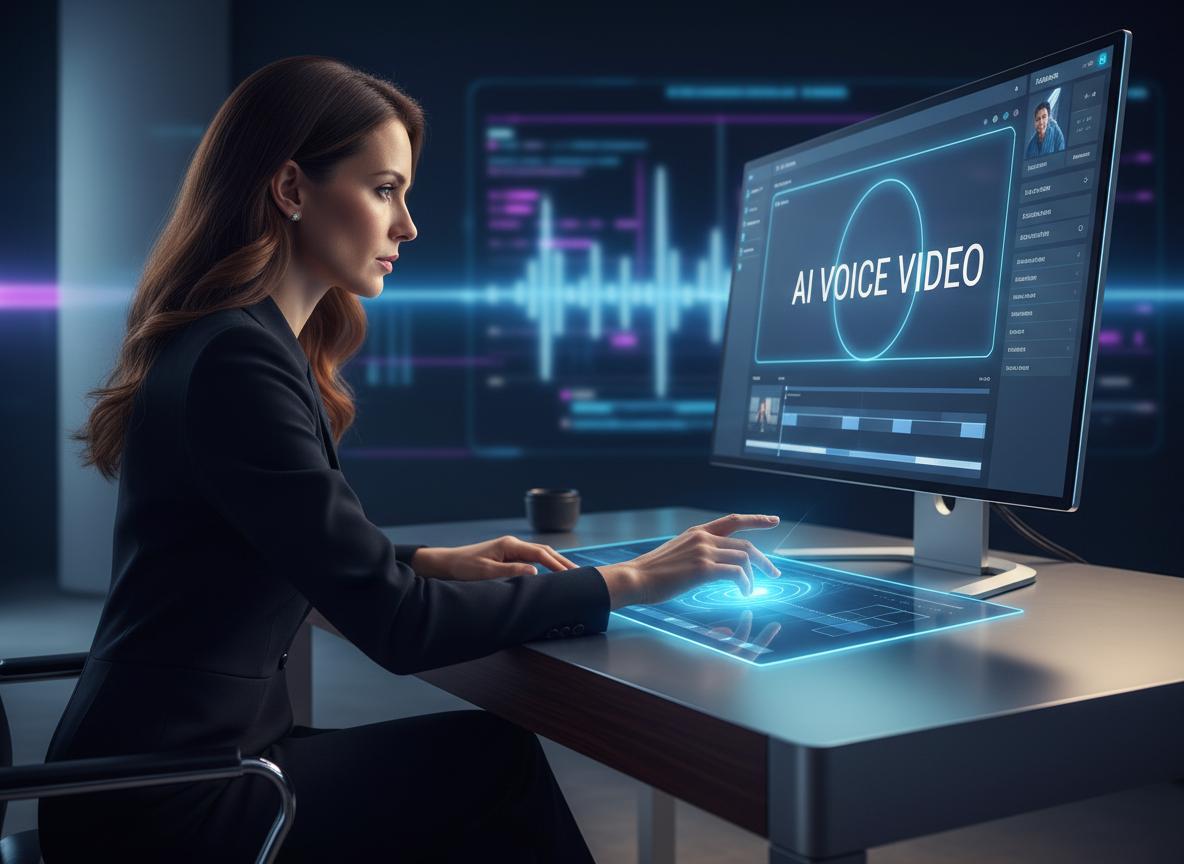
These tools are designed to enhance your existing video footage with high-quality, AI-generated voices or perfectly synced dubbing. They elevate your video’s production value instantly.
Sometimes you already have the visuals but need a killer voiceover. If you want to ai add voice to video, these editors are your holy grail.
CapCut: The Social Media King for Quick Voiceovers & AI Voices
CapCut is a powerhouse mobile and desktop editor that offers seamless voiceover recording, voice changers, and trending AI voices. It is tailor-made for viral social media content.
CapCut is a phenomenal video editor. You can use its voice changer to sound like a chipmunk or a robot, or utilize the text to speech feature for trendy AI voices. Interestingly, many users ask about cách cài youtube dubbing or youtube dubbing trên điện thoại to reach international audiences. While YouTube has its own features, CapCut allows you to easily create multi-language dubbed tracks before uploading!
Clipchamp: Microsoft’s User-Friendly Editor with a Built-in AI Voice Generator
Clipchamp provides a seamless drag-and-drop video editing experience paired with highly realistic text-to-speech capabilities. It is perfect for straightforward, professional edits on a PC.
Clipchamp is a stellar online voice to video converter built right into Windows. It boasts a highly user-friendly interface and robust video editing features. You can type in your ai text, and it acts as an incredible voice generator, offering diverse accents and tones. It’s a reliable tool when you need to quickly add voice to video without downloading heavy software.
Vbee AIVoice: The Pro-Level Choice for Flawless Vietnamese Narrations
Vbee AIVoice specializes in highly natural Vietnamese text-to-speech and voice cloning. It is the ultimate tool for localized content creation and professional narrations.
For our local creators, Vbee is a must-have. It offers advanced voice cloning and artificial intelligence capabilities to change voice tones naturally. If you need a professional ai voiceover, Vbee delivers studio-quality results. At LIEN MMO, we often recommend Vbee for localized video marketing campaigns because it handles the nuances of the language perfectly.
The Ultimate Cheat Sheet: Your 4-Step “Voice to Video” Formula
Converting your audio to video is a straightforward process that involves uploading, customizing, editing, and exporting. Following these simple steps guarantees a professional result every time.
Wondering exactly how to convert audio to video with AI? We’ve broken down the process so you can achieve a quick voice to video transformation without the headache.
Step 1: Upload Your Audio or Video File
Start by importing your raw audio files or existing video footage into your chosen AI platform. Ensure your files are in supported, high-quality formats for the best output.
First, grab your voice recording, podcast episode, or simple voice memo. Most platforms accept common audio formats (MP3, WAV). If you are using a free audio to video generator, simply drag and drop your file into the dashboard. Clean audio yields the best results, so try to minimize background noise before uploading!
Step 2: Customize Your Style (Avatars, Templates, and AI Voices)
Select the visual elements that best represent your brand, such as AI avatars, dynamic templates, or specific voiceover styles. This step defines the look and feel of your video.
Now, dress it up! If you are using voice to video software for content creators like HeyGen, pick your AI avatars. If you are using a text to video AI, select your custom templates. This is also where you apply a voice changer or select an ai voiceover if you aren’t using your own voice.
Step 3: Edit and Add Some Spice (Subtitles, Music, and Effects)
Enhance your video by adding engaging subtitles, background music, and visual effects. These elements are crucial for retaining viewer attention and making your content accessible.
A video without subtitles is a missed opportunity. Use the tool’s video editing features to auto-generate subtitles and captions. Add animated waveforms to show audio movement, and layer in some background music. These easy AI audio to video tools make this step as simple as clicking a button.
Step 4: Export and Unleash Your Masterpiece on the World
Render your final video in high resolution and export it for your desired platforms. You are now ready to share your content and watch your engagement grow.
Hit that export button! Whether you are posting to YouTube, TikTok, Instagram, Reels, or Shorts, ensure you export in the correct aspect ratio (like 9:16 for mobile). Your AI video creation from audio fast process is complete!
Gone are the days of complex video editing software and tedious hours spent syncing audio to visuals. With the power of AI, transforming your voice into engaging videos is not just possible—it’s incredibly fast, easy, and even fun. Whether you’re creating a video from scratch with an AI avatar or adding a fresh voiceover to your footage, these tools empower you to create high-impact content that captivates your audience across any platform.
Ready to stop being the internet’s best-kept secret? Pick a tool from this list and transform your first audio file into a stunning video today. Your audience is waiting! At LIEN MMO (lienmmo@gmail.com), we are always here to help you navigate these incredible SaaS tools to maximize your affiliate and content creation success. Now, go make some noise (and video)!