

Struggling to make your digital designs look tangible and professional? A great design idea can fall flat without the right presentation. This ultimate guide unlocks the power of the digital mockup, showing you exactly how to transform your concepts into realistic, high-fidelity previews. Discover the best tools, step-by-step tips, and a treasure trove of free assets to elevate your portfolio, impress clients, and bring your creative vision to life instantly.
What is a Digital Mockup and Why is it a Game-Changer?
In today’s visually driven market, simply describing a design concept is no longer enough. Clients and stakeholders need to see it. This is where a digital mockup becomes an indispensable part of the creative process, acting as a bridge between imagination and reality.
Digital Mockup Definition: More Than Just a Pretty Picture
A digital mockup is a realistic, static visual representation of a design or product in a real-world context. Unlike a simple sketch, a mockup showcases how a design—be it a logo, app interface, or book cover—will actually look and feel when applied to its intended medium. It’s a high-fidelity preview that focuses on the visual elements: color, typography, imagery, and layout, giving a clear picture of the final product.
Essentially, it’s a way to “stage” your design. For creative professionals, from graphic designers to digital marketers, this visualization is crucial for communicating ideas effectively and making informed decisions before committing to production.
The Core Benefits: How Mockups Save Time, Money, and Headaches
Integrating digital mockups into your workflow isn’t just about aesthetics; it’s a strategic move with tangible benefits. By providing a clear preview early in the process, mockups help identify design flaws, prevent costly errors, and streamline communication.
Key advantages include:
- Enhanced Visualization: Mockups offer stakeholders a concrete preview of the final product, ensuring everyone shares the same vision. This clarity helps bridge the gap between abstract ideas and tangible outcomes.
- Cost and Time Savings: Identifying and correcting design issues in a digital mockup is far cheaper and faster than making changes after production has started. This proactive approach minimizes revisions and accelerates the development timeline.
- Improved Communication and Collaboration: A visual aid is a universal language. Mockups provide a common reference point for feedback, making discussions with clients and team members more productive and reducing misunderstandings.
- Effective Presentations and Pitches: A realistic mockup can make a design proposal significantly more persuasive. It helps clients visualize the end result, building credibility and making it easier to secure project approval.
Digital Mockup vs. Wireframe vs. Prototype: Understanding the Key Differences
In the world of design, the terms wireframe, mockup, and prototype are often used, but they represent distinct stages of the design process.
- Wireframe: This is a low-fidelity blueprint. It focuses solely on structure, layout, and functionality, using basic shapes and placeholders without any detailed design elements like colors or fonts. Think of it as the skeleton of the design.
- Digital Mockup: This is a static, high-fidelity visual design. It builds upon the wireframe’s structure by adding color, typography, and images to represent the final look and feel of the product. It is the “skin” but lacks interactivity.
- Prototype: This is an interactive, high-fidelity simulation of the final product. Users can click through menus and experience the user flow, making it ideal for usability testing before development begins. It’s the closest you can get to the finished product without writing any code.
In short, a wireframe maps out the structure, a mockup defines the appearance, and a prototype simulates the user experience.
The Wide World of Digital Mockups: Finding the Perfect Style for Your Project

Digital mockups are incredibly versatile, with different types tailored for specific industries and applications. Choosing the right style is key to presenting your work in the most effective and professional context.
Device Mockups for a Digital-First World (Laptops, Phones, Apps)
In an era dominated by screens, device mockups are essential for UI/UX designers, web designers, and app developers. These mockups showcase how a website, application, or digital product will appear on various devices like smartphones, tablets, and laptops. This helps stakeholders visualize the user experience across different platforms, ensuring a consistent and polished digital presence.
Branding and Packaging Mockups for Physical Products
For product designers and brand strategists, branding and packaging mockups are indispensable. They allow you to visualize a brand’s identity across various assets, from business cards and letterheads to product packaging. Seeing a logo on a realistic 3D box or a design on a shopping bag can confirm visual consistency and appeal before committing to expensive print runs.
Apparel Mockups for Showcasing Your Clothing Designs
Fashion designers and e-commerce brands rely heavily on apparel mockups. These templates allow you to place your designs onto t-shirts, hoodies, hats, and other clothing items. This is a cost-effective way to create a professional-looking product catalog for your online store or social media without the need for a physical photoshoot.
Print and Publishing Mockups (Books, Magazines, Posters)
Graphic designers working in the publishing industry use print mockups to bring their creations to life. Whether it’s a book cover, a magazine spread, or a promotional poster, these mockups display the design in a tangible format. This helps authors, editors, and marketers visualize the final printed product and make crucial design decisions.
How to Create Stunning Digital Mockups: A 3-Path Guide for All Skill Levels

Creating a compelling digital mockup doesn’t always require advanced design skills. Thanks to a variety of tools, there’s a path for everyone, from beginners to seasoned professionals. Here’s a breakdown of three popular methods.
Method 1: The Fast & Easy Route with Digital Mockup Generators
For those who need professional results quickly, a digital product mockup generator is the perfect solution. These online tools offer vast libraries of pre-made templates for everything from iPhones to coffee mugs. The process is simple: choose a template, upload your design, make minor adjustments, and download the high-resolution image.
These platforms are ideal for marketers, small business owners, and designers on a tight deadline who need eye-catching visuals without the complexity of traditional design software.
Method 2: The Creative Control Route with Design Software (Photoshop & Figma)
For creative professionals who demand full control, using design software like Adobe Photoshop or Figma is the way to go. These programs allow for complete customization. Designers typically use pre-made PSD mockup files that contain smart objects. Simply double-click the smart object layer, place your design, save it, and the mockup updates automatically with realistic lighting and shadows.
This method offers unparalleled flexibility, making it the preferred choice for creating custom, high-fidelity mockups that perfectly align with a brand’s unique aesthetic.
Method 3: The Simple & Accessible Route with Canva Templates
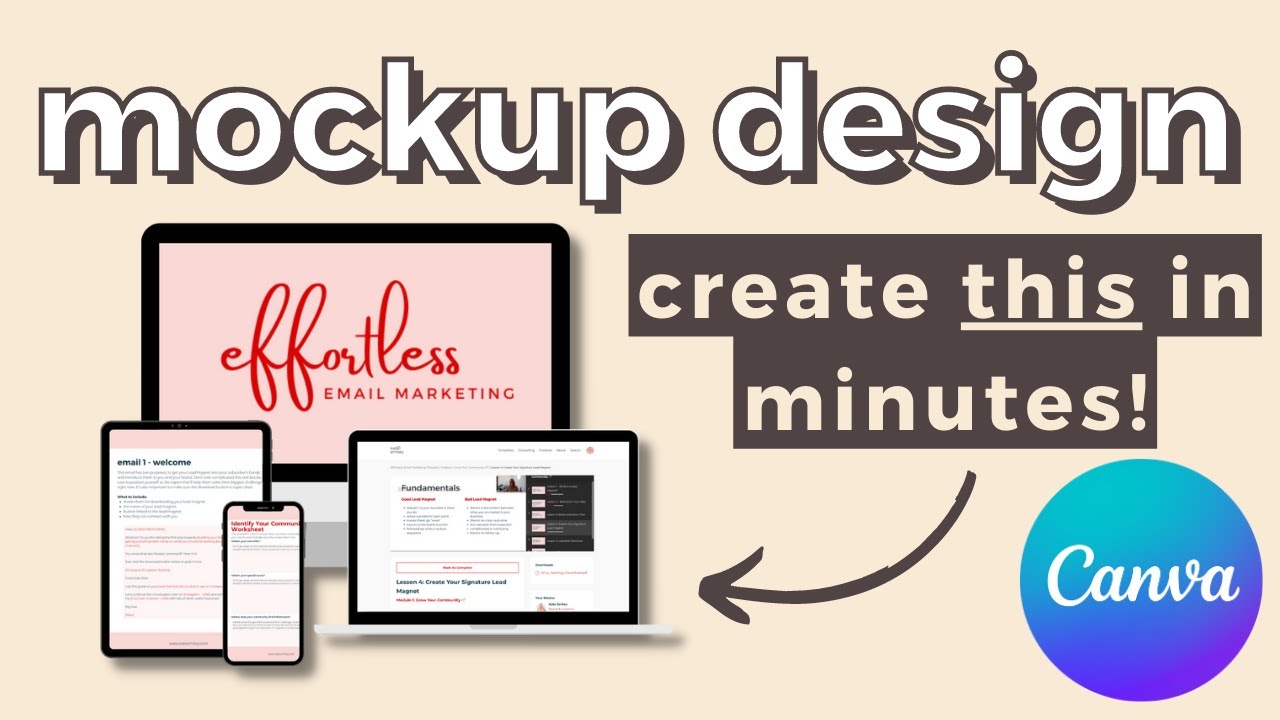
Canva has emerged as a powerful and user-friendly tool for creating a wide range of visual assets, including digital mockups. With its drag-and-drop interface and extensive library of Canva templates, it’s an excellent option for beginners and those looking for a hassle-free experience. You can easily find frames for devices or use their dedicated mockup apps to place your designs into various scenes.
Your Toolkit: The Best Digital Mockup Software and Free Asset Libraries
Having the right tools and resources is crucial for an efficient design workflow. Here are some of the best options for creating mockups and finding high-quality assets.
Top 3 Free Mockup Generators for Instant, Professional Results
- Mockey.ai: Known for its extensive library of over 12,000 templates across 45+ product categories, Mockey allows users to generate and download high-quality, watermark-free mockups for free.
- Freepik Mockup Generator: This online tool simplifies the design process by allowing you to create and customize professional mockups directly in your browser, with options to download in stunning 5K quality.
- Pacdora: Offering a simple interface that requires no prior skills, Pacdora helps you create realistic 3D mockups in just a few clicks, making it great for amping up branding and commercialization efforts.
Essential Software for Creating Custom, High-Fidelity Mockups
- Adobe Photoshop: The industry standard for photo editing and graphic design, Photoshop is perfect for working with PSD mockup files that use smart objects for seamless design integration.
- Figma: A collaborative interface design tool that has become a favorite among UI/UX designers. Figma allows you to create your own mockups from scratch or use community-provided plugins and kits to speed up the process.
- Sketch: A popular vector graphics editor for macOS, Sketch is another powerful tool for UI/UX designers to create detailed mockups and prototypes.
Where to Find High-Quality, Free Digital Mockup Templates and Assets
Finding high-quality free digital mockup assets can save significant time and budget. At LIEN MMO, we recommend exploring reputable platforms that offer a wide variety of templates. For those looking for diverse options, there are many excellent resources available online. You can find comprehensive lists and collections on sites dedicated to providing free PSD mockups for designers.
Other top-tier sites include:
- Mockup World: A curated collection of free, photo-realistic PSD mockups from around the web, all easily customizable.
- Unblast: Offers a huge selection of free mockups in PSD and Figma formats, covering everything from smartphones to billboards.
- MockupTree: A great source for free, high-resolution PSD mockup templates suitable for both private and commercial projects.
Pro Tips: Using Digital Mockups for Maximum Impact and Persuasion
Creating a beautiful digital mockup is just the first step. The real power lies in how you leverage it to achieve your goals, whether that’s building your brand, winning over clients, or driving sales.
How to Use Mockups to Build a Killer Design Portfolio
A strong portfolio is a designer’s most valuable asset. Using digital mockups for portfolio presentations can dramatically elevate your work. Instead of showing a flat logo or UI design, present it in a realistic context. A logo on a storefront sign or an app design on an iPhone screen helps potential clients visualize the real-world application of your skills, making your portfolio more engaging and professional.
Winning Over Clients and Stakeholders with Realistic Presentations
When pitching a design concept, mockups are your secret weapon. They transform an abstract idea into a tangible vision, making it easier for clients and stakeholders to understand and approve your work. A high-fidelity mockup demonstrates professionalism and shows that you’ve thoroughly considered how the design will function in its final form. This builds trust and minimizes the need for costly revisions down the line.
Boosting Your Marketing and Social Media Campaigns with Eye-Catching Visuals
In the fast-paced world of digital marketing, captivating visuals are essential. Digital mockups for marketing are a powerful tool for creating promotional materials that grab attention. Use them to showcase a new product, promote an ebook, or display your website on a laptop screen for social media posts, ads, and email campaigns. High-quality mockups can increase engagement and drive higher conversion rates by presenting your offerings in a polished and appealing way.
As you can see, digital mockups are an indispensable tool in any modern creative’s workflow. They bridge the gap between concept and reality, allowing you to present your work with professionalism and clarity. By leveraging the right tools, templates, and techniques discussed in this guide, you are now fully equipped to create compelling visual presentations that capture attention and drive results, solidifying your reputation as a top-tier designer.
Ready to bring your designs to life? Explore our exclusive collection of premium digital mockup templates and start creating stunning, realistic presentations in minutes!


